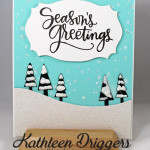
Today’s Card features the My Favorite Things’ Tree Line Die. I cut the trees out of some dark green cardstock and covered them with my white snow marker and then heat embossed them to make the “snow” puff up! To create the glittery snowfall background, I used a snowfall stencil with some white embossing paste and […]
Archives for 2015
Christmas Card Featuring Mama Elephant’s Window Watching Dies!
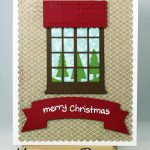
Today I have a fairly quick and easy card to share with you. I used Mama Elephant’s “Window Watching” die to create the window scene on this card. The tree die is from the My Favorite Things’ Tree Line Die and the banner is the My Favorite Things Banner Greetings die. The complete product list with links for […]
Free Printable Toner Sheet for Foiling
I created a free toner sheet that you can download for free by clicking on the link below. Just print it on cardstock either using a laser printer or by taking the file to your local Kinkos and have them print it for you on their laser printer and then you can run it through […]
Tis’ the Season! Handmade Christmas Cards by Kat!

I have been busy making Christmas cards lately and although I haven’t had time to create any process videos, I wanted to share some of them with you today. I’ll explain how I created each one but if you have any questions about any of the cards, or my process, let me know by leaving a comment […]
Two Same But Different Christmas Cards

Hello everyone! I used the same supplies to create two “almost”identical cards, however I changed the layout of the poinsettia and the sentiment on each card. I also used sequins on one card and not on the other. I used a “dew drop” in the middle of the poinsettia flower to top it off. These […]
How to Cut a File Wirelessly With Your Brother ScanNCut2.
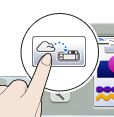
I have had a few people ask me how to use a cut file (like a .svg or dxf, file) and cut it wirelessly using the Brother ScanNCut so I thought I’d make a very quick tutorial for you. Download your cut file Login to the Canvas website at http://scanncutcanvas.brother.com and login. Open your file by selecting “My Projects” […]
Brother ScanNCut Blade and Pressure Settings Guide & Blade Troubleshooting Tips
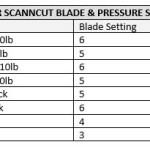
*Updated 12/14/15 Having trouble cutting your images out with your Brother ScanNCut? It may be your settings. I am listing the settings that I personally use with my favorite cardstocks in my Brother ScanNCut2 machine. My favorite cardstock by far is Gina K Designs 120lb Pure Luxury as well as her “layering weight” cardstock which […]
Ways to “Re-Stick” Your Brother ScanNCut Mat
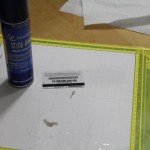
As you I recently purchased a Brother ScanNCut machine and while I LOVE it, there is one thing I do NOT love and that is the mat. Problem #1 and Solution: The mat is too sticky at first, which is not a problem because you just take a clean tshirt and “pat” it all over […]
Pet/Dog Mini Album – Project Share
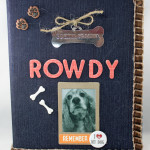
Today I have a very simple and straightforward mini album to share with you guys. My step-dad’s cocker spaniel, Rowdy, passed away recently and I thought it would be a sweet gesture to make him a mini album for Christmas. I had a couple of people request to see the album via video and photos […]